Laptop Stand
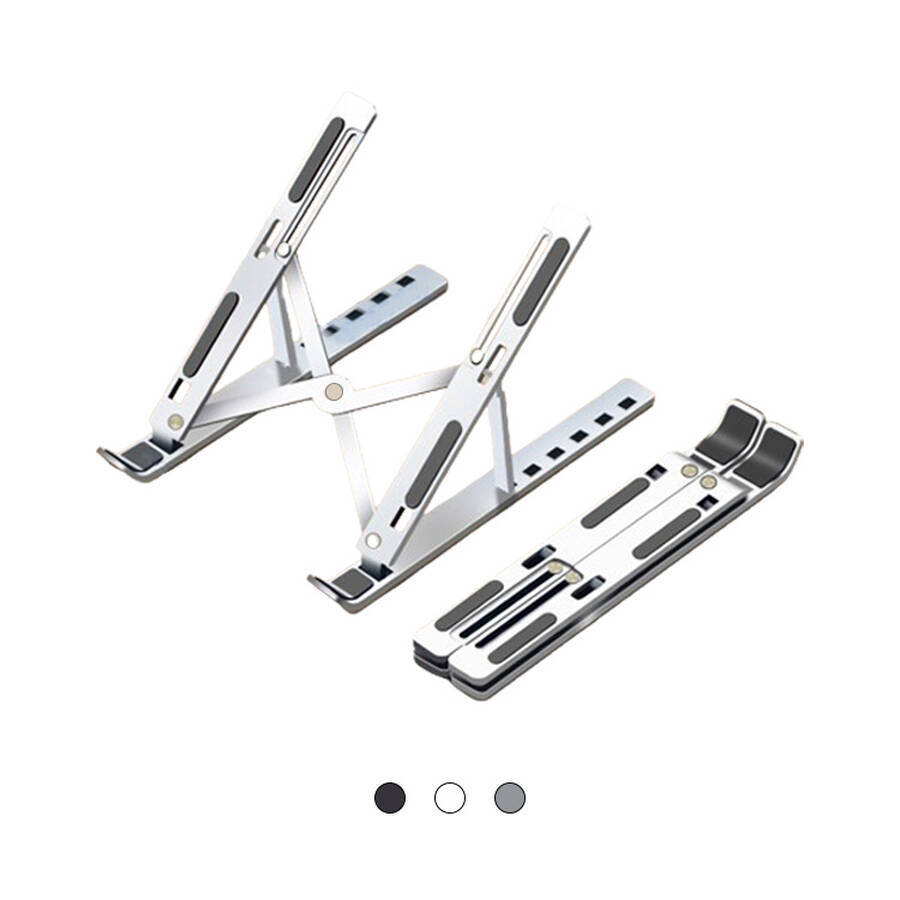
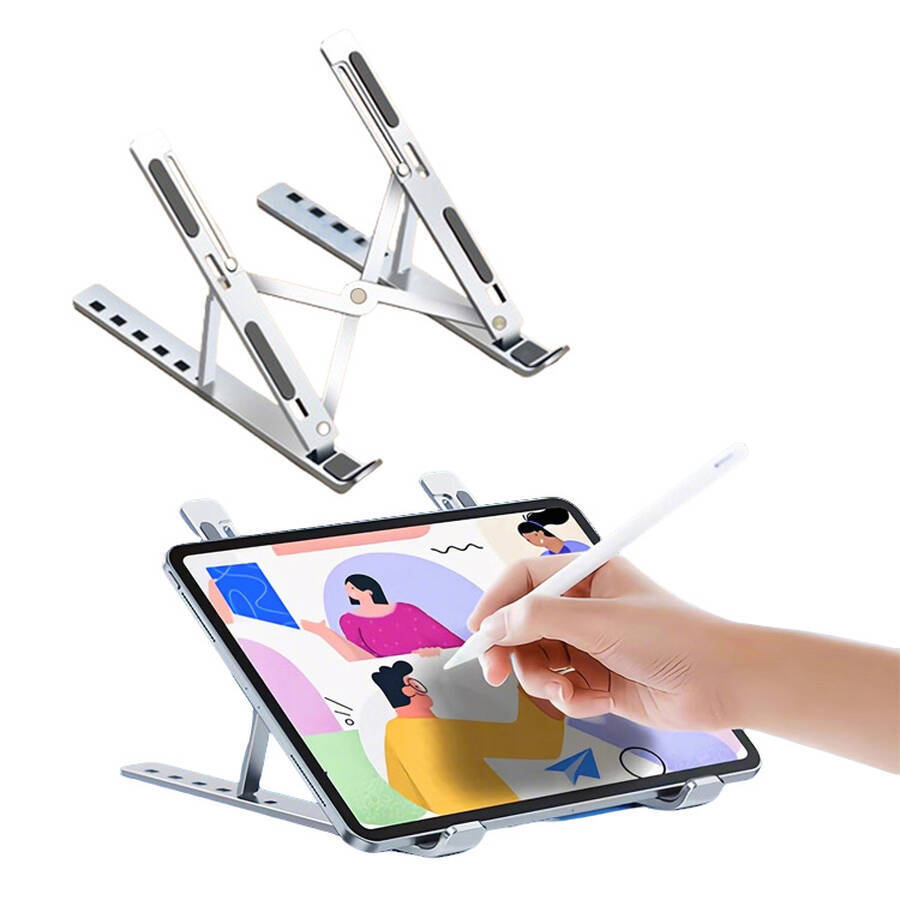
7-level Adjustable Laptop Stand Laptop Cooling Stand
Company Code: ONI008
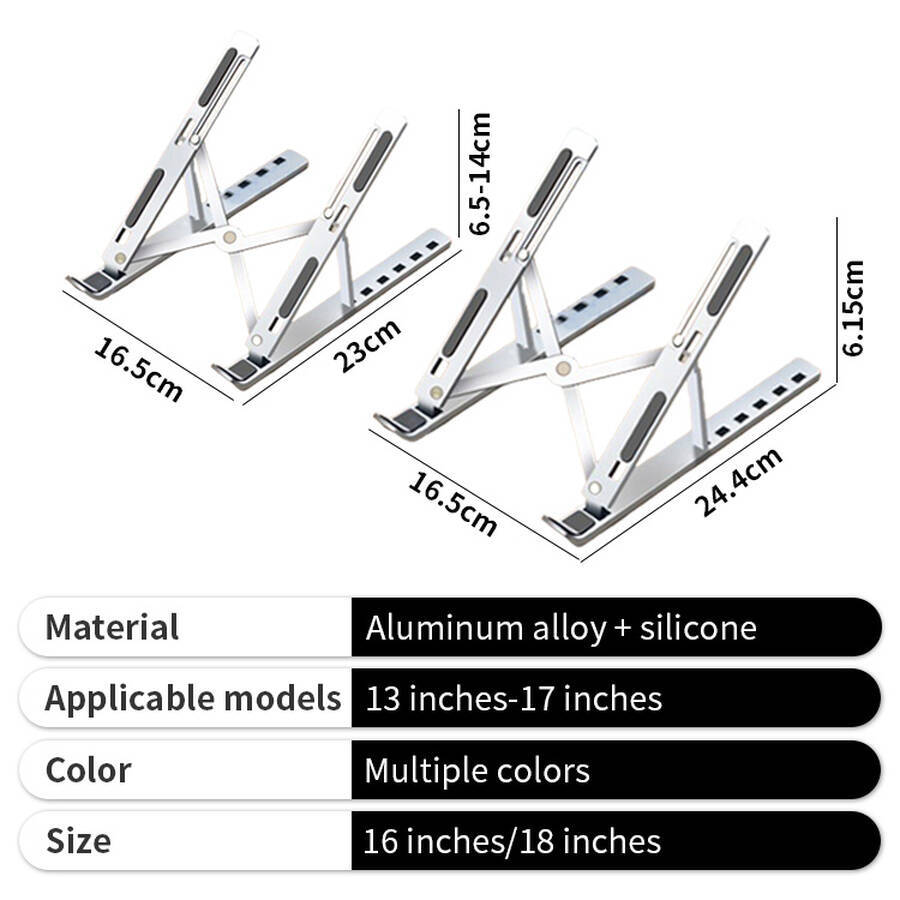
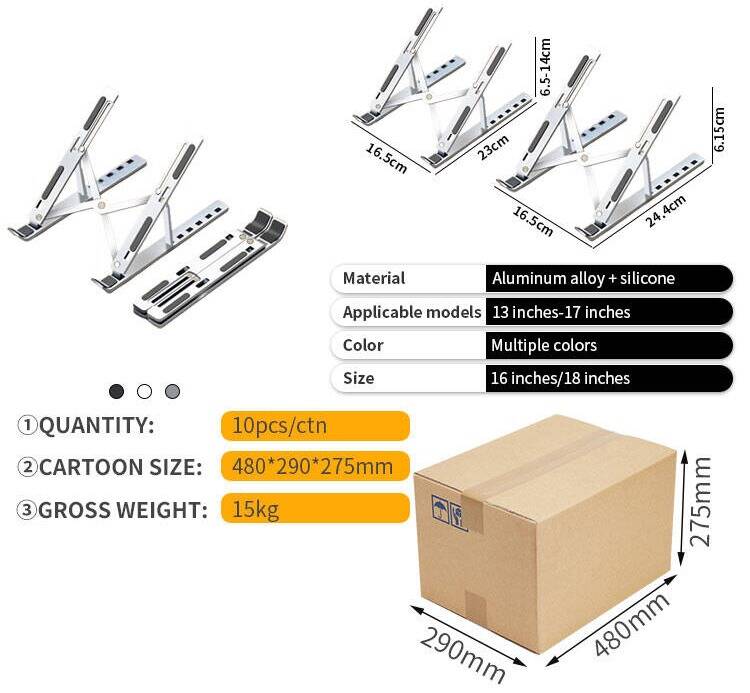
Material: Aluminum alloy + silicone
Size: 27.5*3*6cm 16 inches
Weight: 260+5g
Style : Foldable
CERTIFICATES
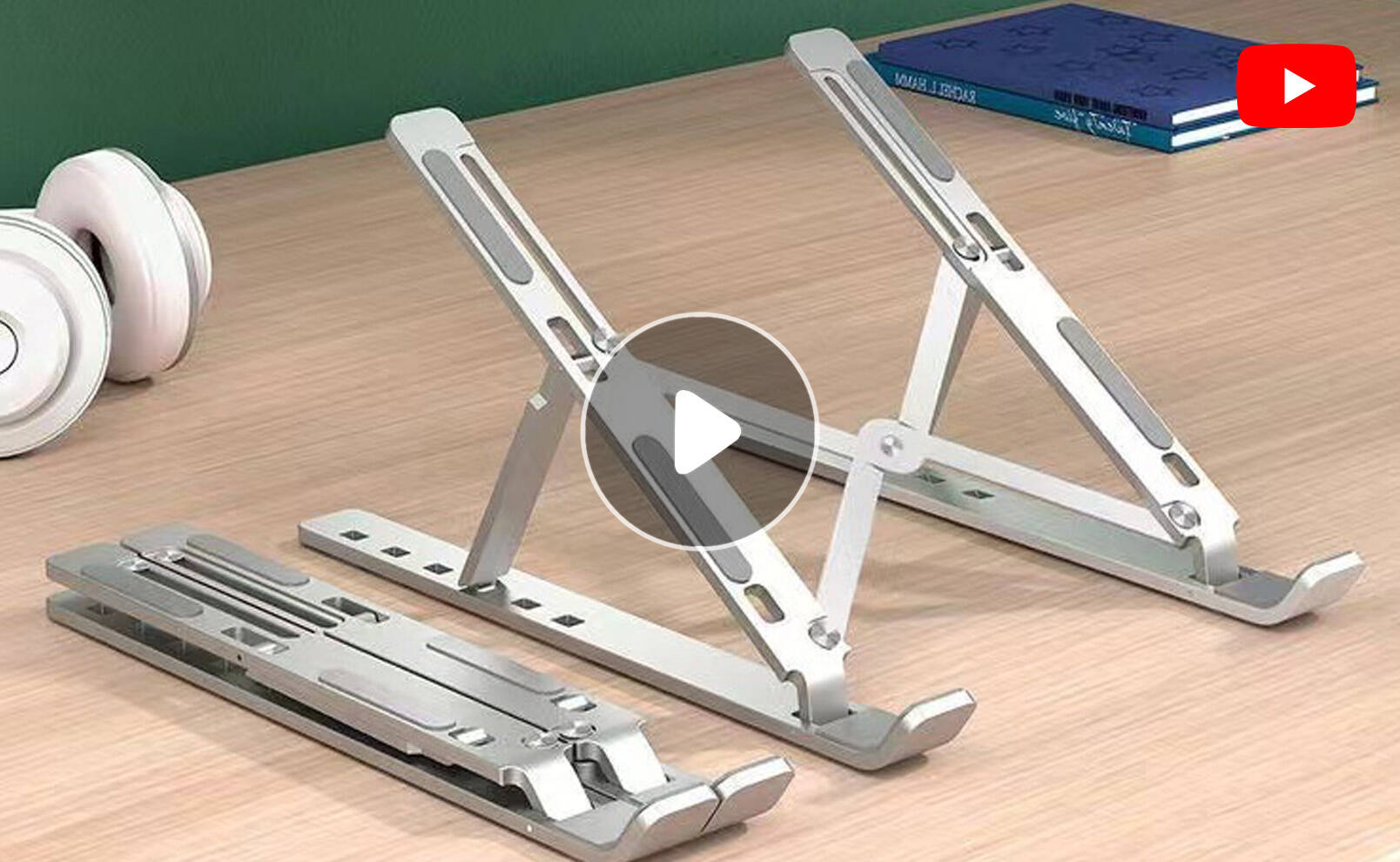
7-level Adjustable Laptop Stand Laptop Cooling Stand
A laptop stand is a desktop accessory designed specifically for use in the office, at school or at home. It raises your laptop to eye level, so you no longer have to hunch over or look down—your neck feels more comfortable, your shoulders aren’t stiff, and you’ll feel much more relaxed by the end of the day.
Detailed Features
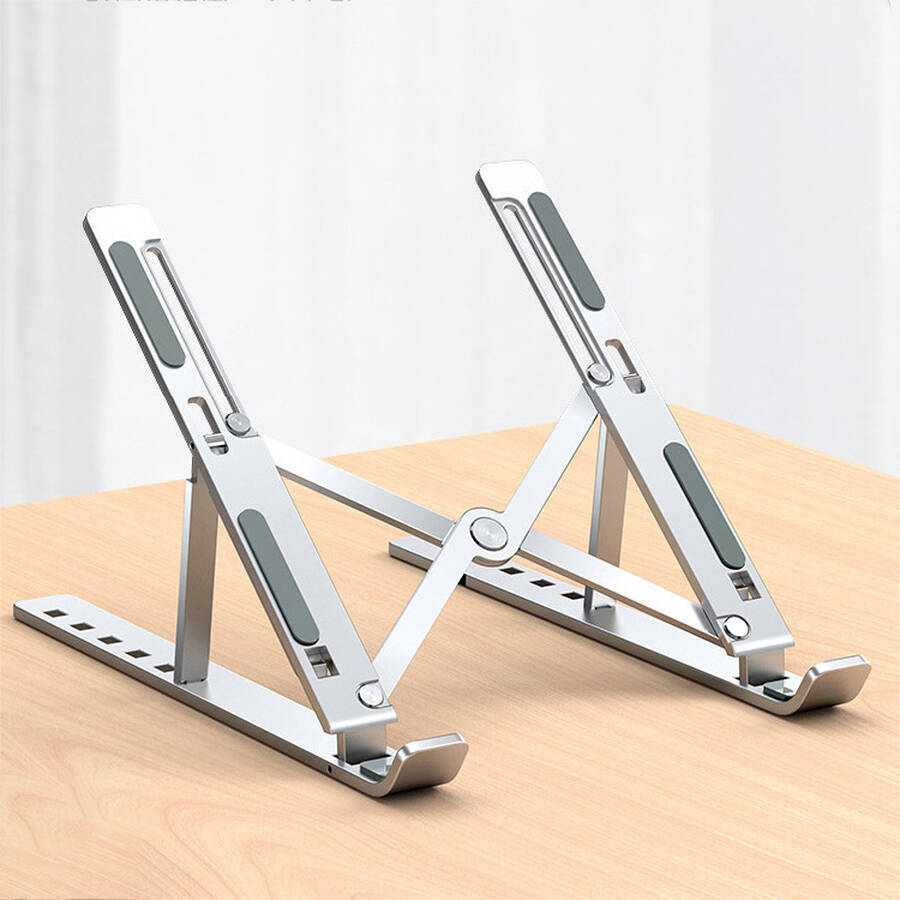
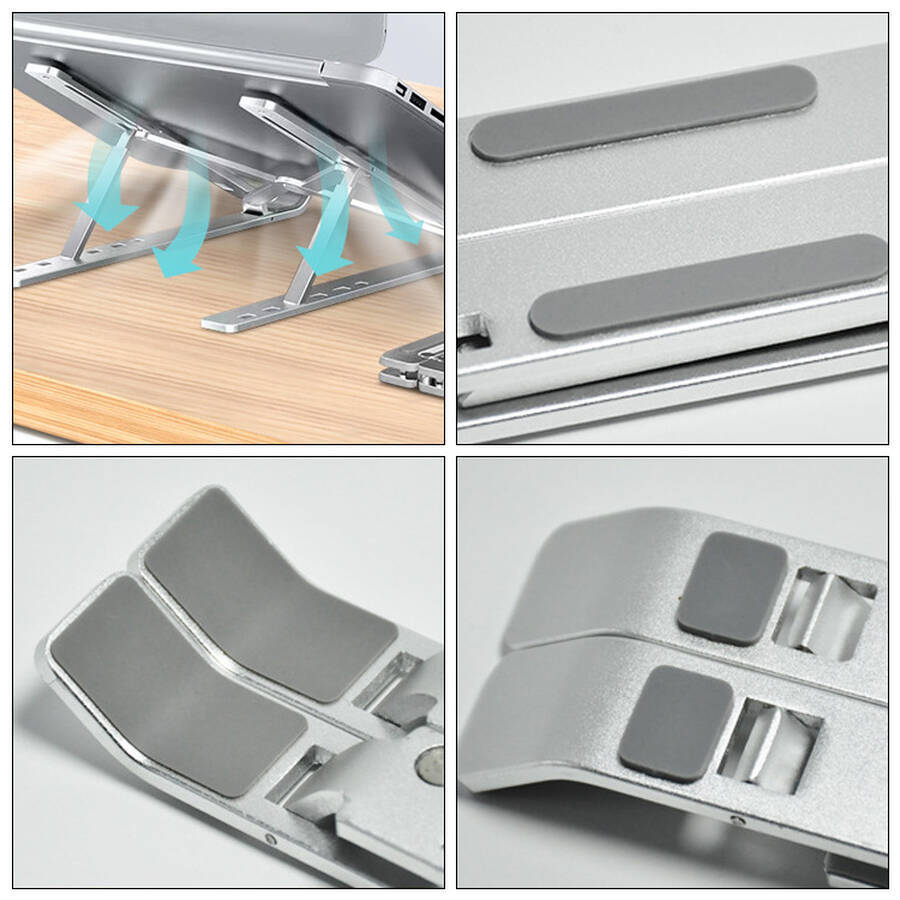
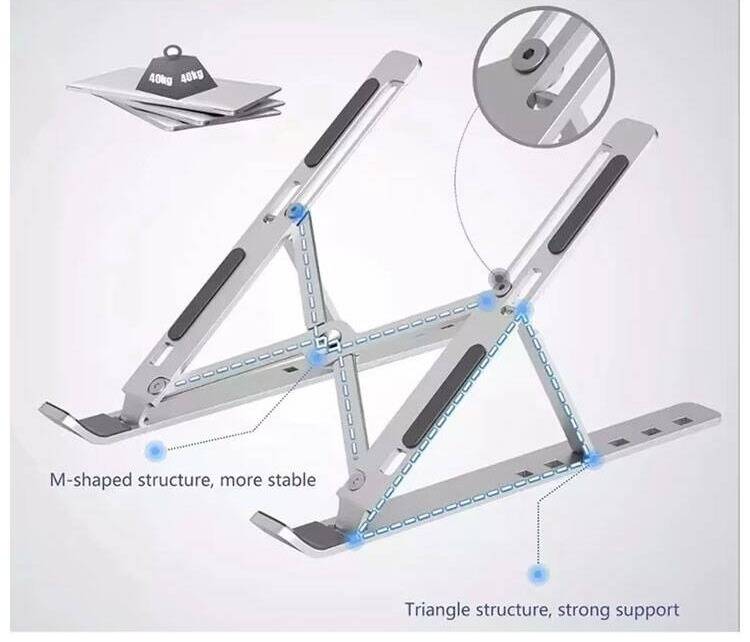
- Multiple Silicone Elements
The base of the stand features anti-slip silicone pads to increase friction with the device, preventing it from slipping during use. - Anti-Slip Strips on the Base
Anti-slip strips on the base increase friction with the desk surface, preventing the stand from sliding and the device from falling. - Sturdy Clips
Secure clips ensure the stand remains firmly in place, with a robust structure that offers superior load-bearing capacity.
Advantages
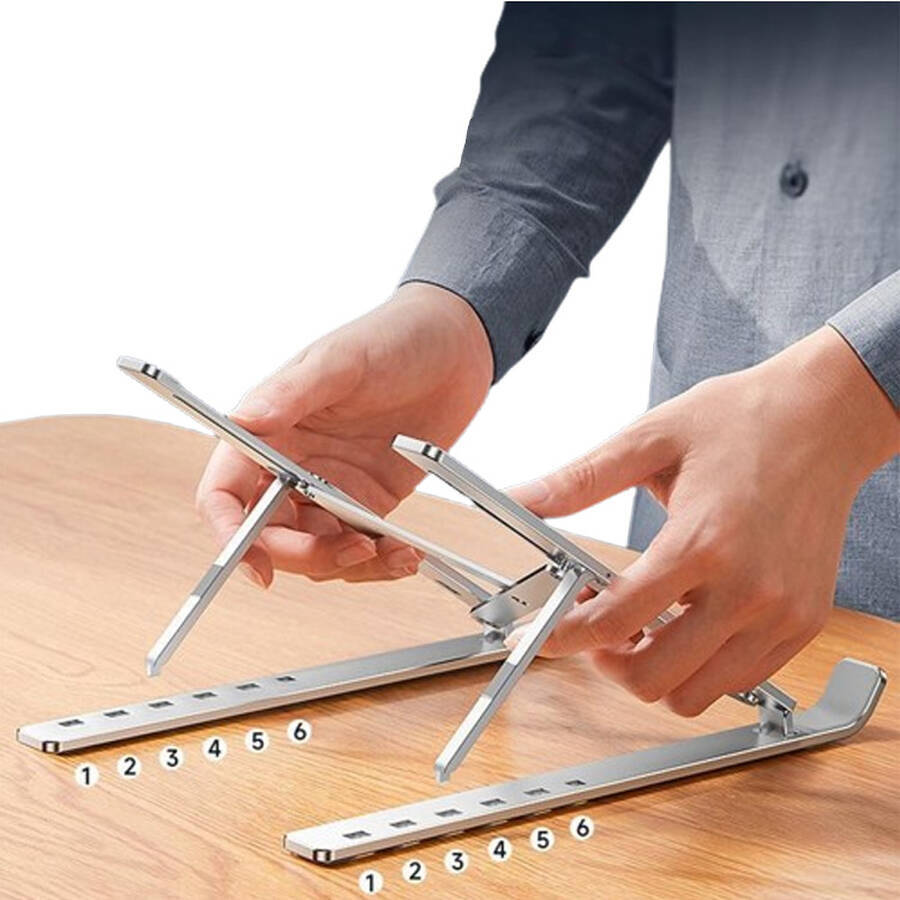
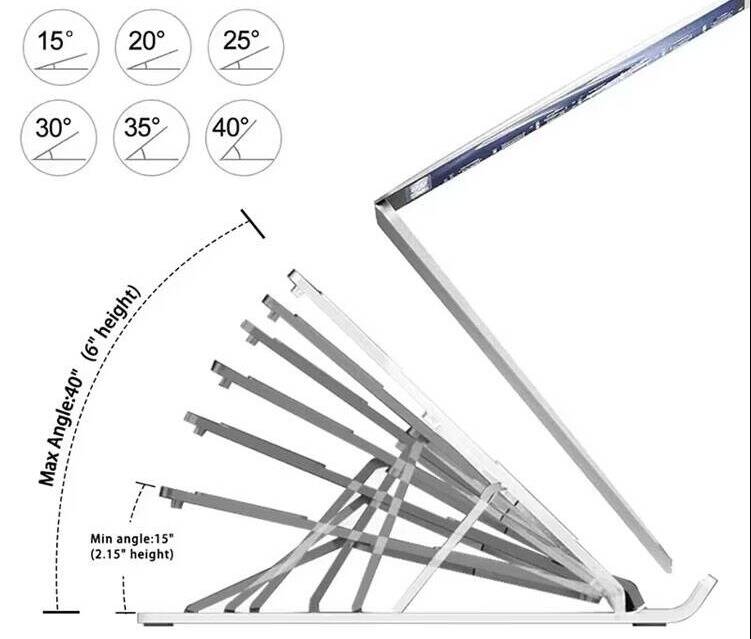
- Seven-position adjustment for a comfortable seating position
Adjust to different angles to find the most comfortable seating position to suit your needs - Openwork design for enhanced heat dissipation
With no structural obstructions, it improves airflow and accelerates heat dissipation, facilitating better ventilation for your device - One size fits all
Universal compatibility with all iPads and tablets from 10 to 15.6 inches - High Load Capacity and Stable Support
Not only does it prevent laptops, tablets and books from wobbling, but it is also rock-solid, with a load capacity of 80 jin! - Easy Storage for Hassle-Free Travel
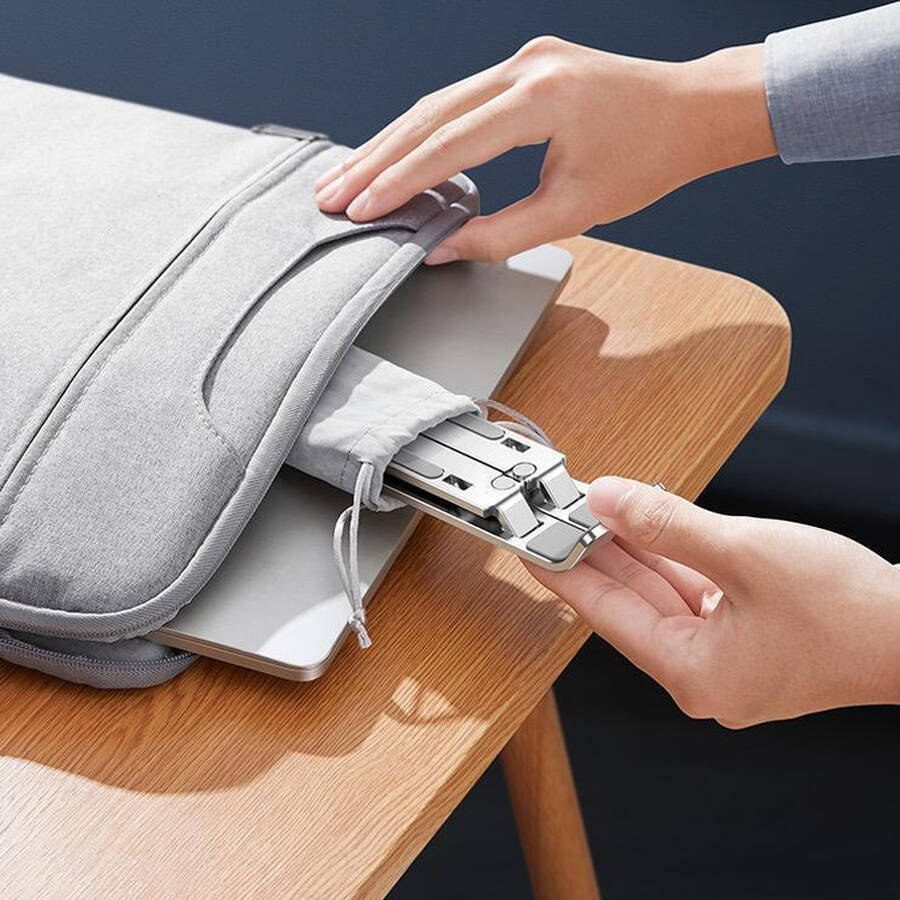
Easy to store and carry; fits neatly into bags or drawers without taking up space
Packaging Information
The product packaging details are as follows.
Customer Service
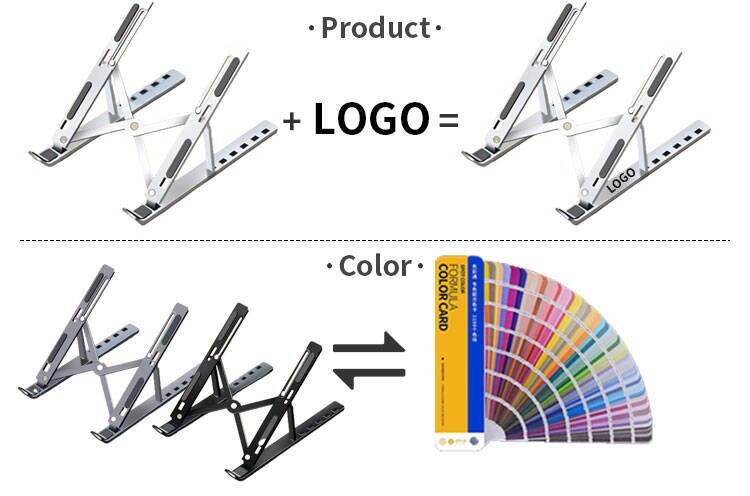
By printing your brand on the stands your users rely on every day, you turn every work session into an opportunity for brand exposure. Our laptop stands can be customised with your logo, making them ideal for corporate gifts, tech companies and educational institutions alike.
FAQ
Q1: What is a laptop stand? How does it differ from a standard cooling pad?
A1: A laptop stand is a desktop support tool. It is designed to raise the laptop screen, improve viewing angles, and aid heat dissipation.
Key differences from standard cooling pads:
| Feature | Laptop stand | Standard cooling pad |
|---|---|---|
| Core function | Raises the screen — protects the neck | Active cooling |
| Portability | Foldable — easy to carry | Bulky — not portable |
| Power supply | No power required | Requires USB power |
| Cooling method | Passive cooling — airflow through raised design | Active cooling — fan |
| Suitable scenarios | Office, study, on the move | Gaming, stationary use with high‑performance laptops |
Visual analogy: A stand is a “neck support tool.” A cooling pad is a “cooling tool.” The two can be used in combination.
Q2: How high can a laptop stand raise the screen? Is it beneficial for the cervical spine?
A2: It typically raises the laptop by 10‑20 centimetres. This is significantly beneficial for the cervical spine.
Height Effect: Raises the top of the screen to eye level.
Cervical Spine Pressure: When looking down at the screen, the cervical spine bears approximately 4‑5 kg of pressure. Using a stand allows for a straight‑ahead gaze — significantly reducing this pressure.
User Feedback: Long‑term use can effectively relieve neck stiffness and shoulder pain.
Purchasing Advice: Some multi‑position adjustable models can accommodate different heights and desk heights.
Q3: Can a laptop stand aid heat dissipation? Is the effect noticeable?
A3: Yes — by raising the base to allow air circulation, it assists with heat dissipation.
Heat dissipation principle:
-
When placed flat on a desk, the base is in direct contact with the surface — causing heat to accumulate.
-
When raised on a stand, the base is suspended. This allows cool air to enter from below and hot air to escape naturally.
Tested results: Can reduce temperature by 3‑8°C — sufficient for everyday office use.
Recommendation for gaming laptops: For high‑heat‑generating devices, opt for an active cooling stand with a fan.
Q4: Is the laptop stand stable? Does it wobble when typing?
A4: High‑quality stands are very stable. They will not wobble during normal typing.
Stability design:
-
Widened base: Increases the contact area with the desk.
-
Non‑slip silicone pads: Anti‑slip features are incorporated at the points where the stand meets the desk — and where the laptop rests on the stand.
-
Triangular mechanical support: Stable structure ensures no wobbling whilst typing.
Purchasing advice: Choose models with non‑slip silicone pads on the contact surfaces.
Q5: Can a laptop stand be used with a tablet?
A5: Yes — most stands are compatible with 11‑13‑inch tablets.
Tablets are lighter, so they sit more securely on the stand. However, stands designed specifically for tablets usually offer a wider range of angle adjustment. This makes them better suited for drawing and reading.
Recommendation: If you already own a laptop stand, there is no need to purchase a separate tablet stand.
Q6: Will a laptop stand scratch the bottom of my laptop?
A6: No — the contact points with the laptop are fitted with non‑slip silicone pads.
The silicone pads are soft and will not scratch. They will not leave marks — even if your laptop is not in a case.
Purchasing advice: Ensure the contact surfaces of the stand are covered with silicone pads.