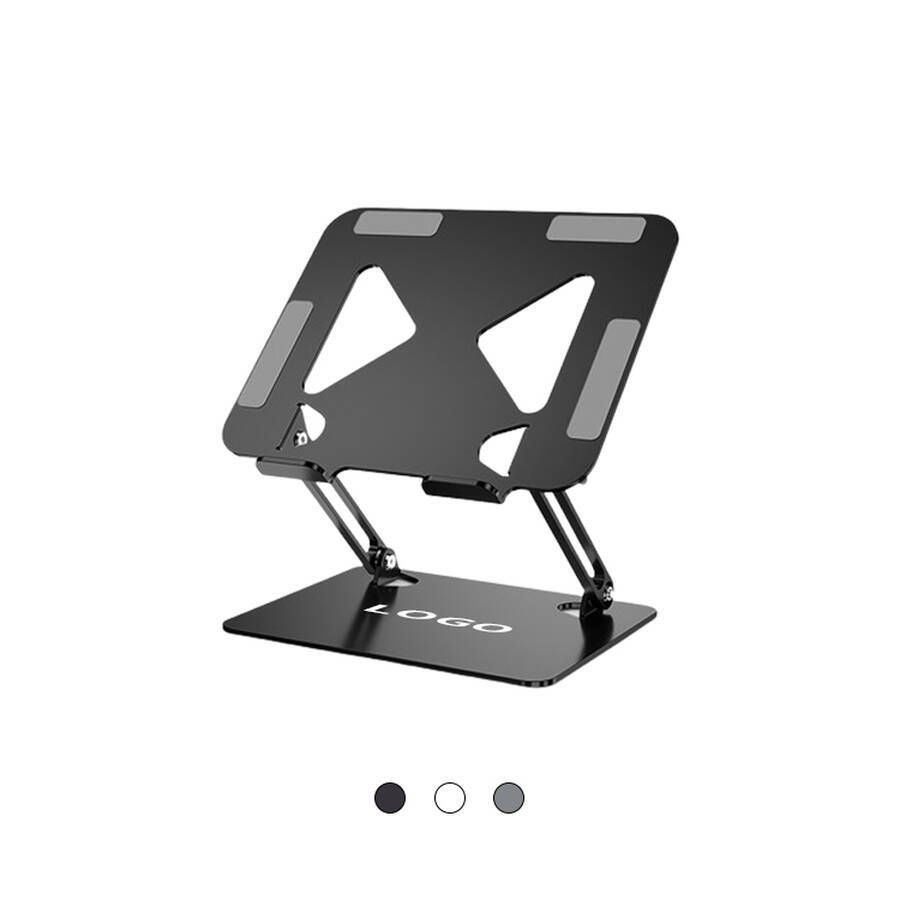
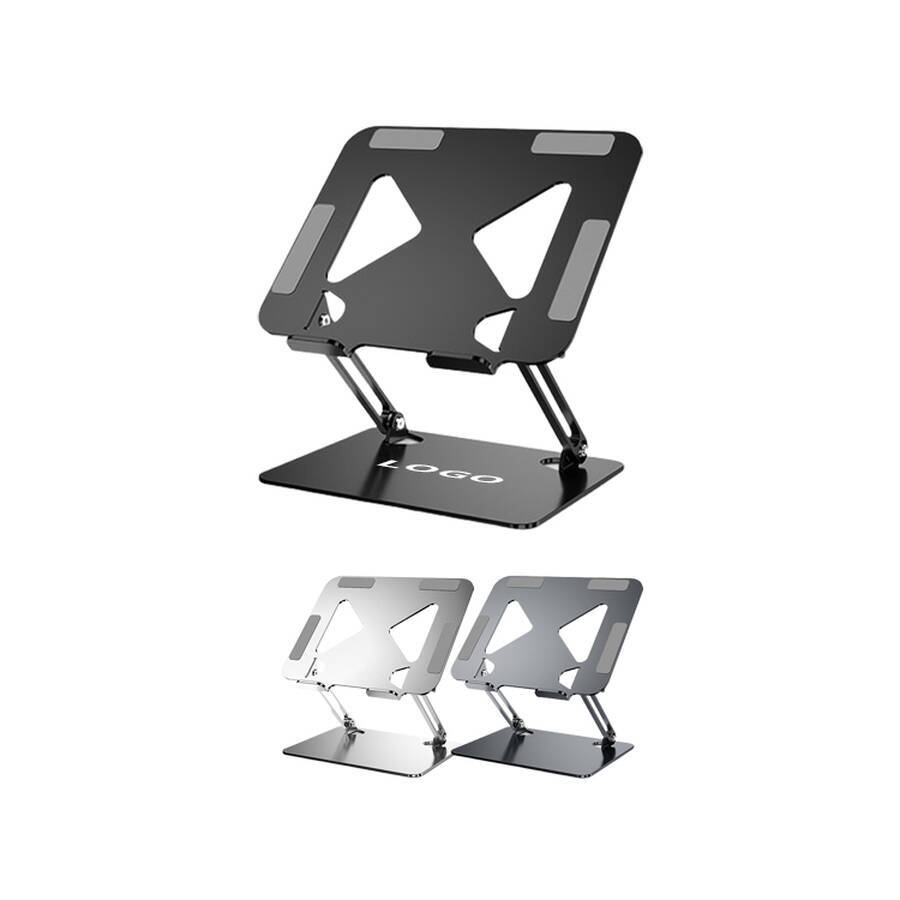
Laptop Stand
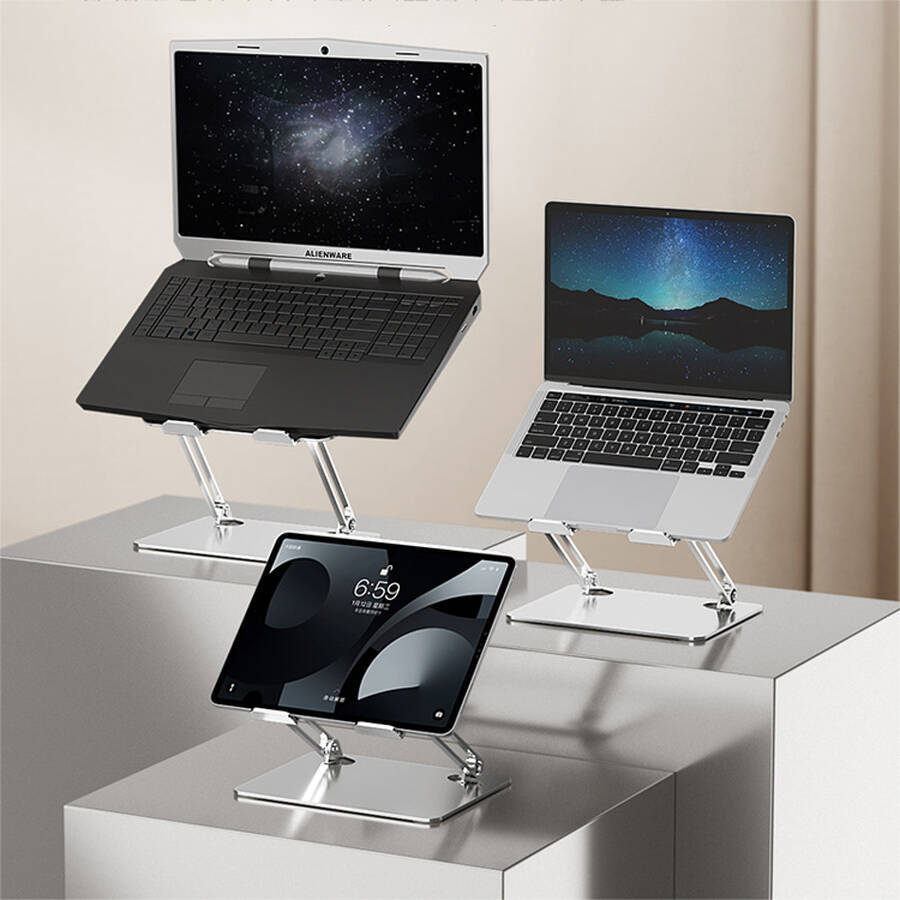
Portable Adjustable Laptop Stand Holder for Desk
Company Code: ONI006
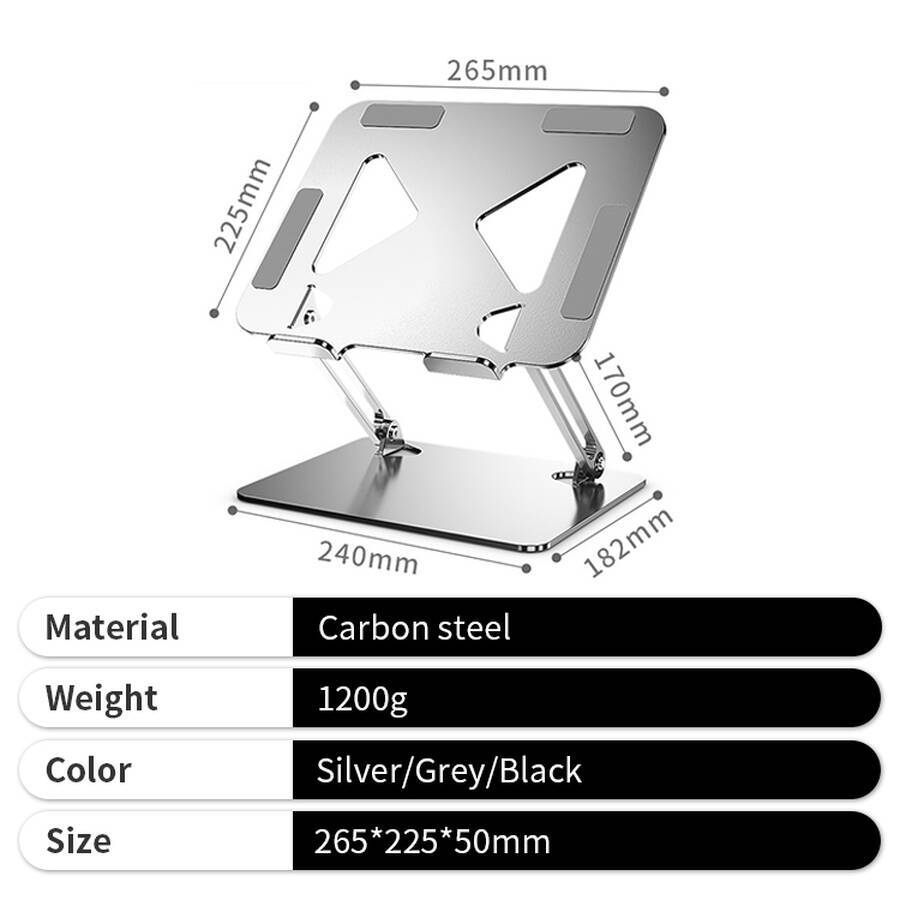
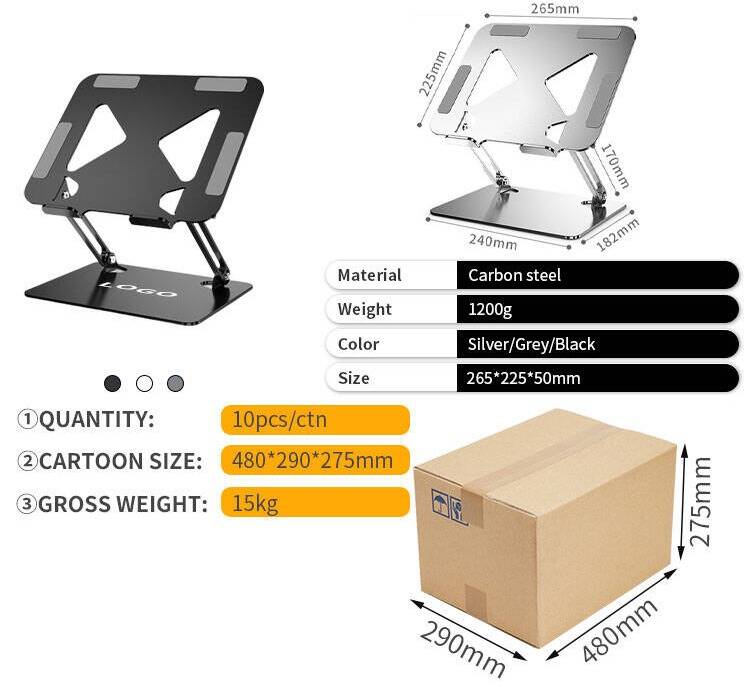
Material: Carbon Steel
Size: 265*225*50mm
Weight: 1220g
Style : Foldable
Compatible models: Universal
CERTIFICATES
Portable Adjustable Laptop Stand Holder for Desk
A laptop stand is a desktop accessory designed specifically for use in the office, at school or at home. It is not an accessory for a laptop bag, but a handy little tool in its own right—it raises your laptop to eye level, so you no longer have to hunch over or look down, which is easier on your neck and boosts your productivity.
Advantages
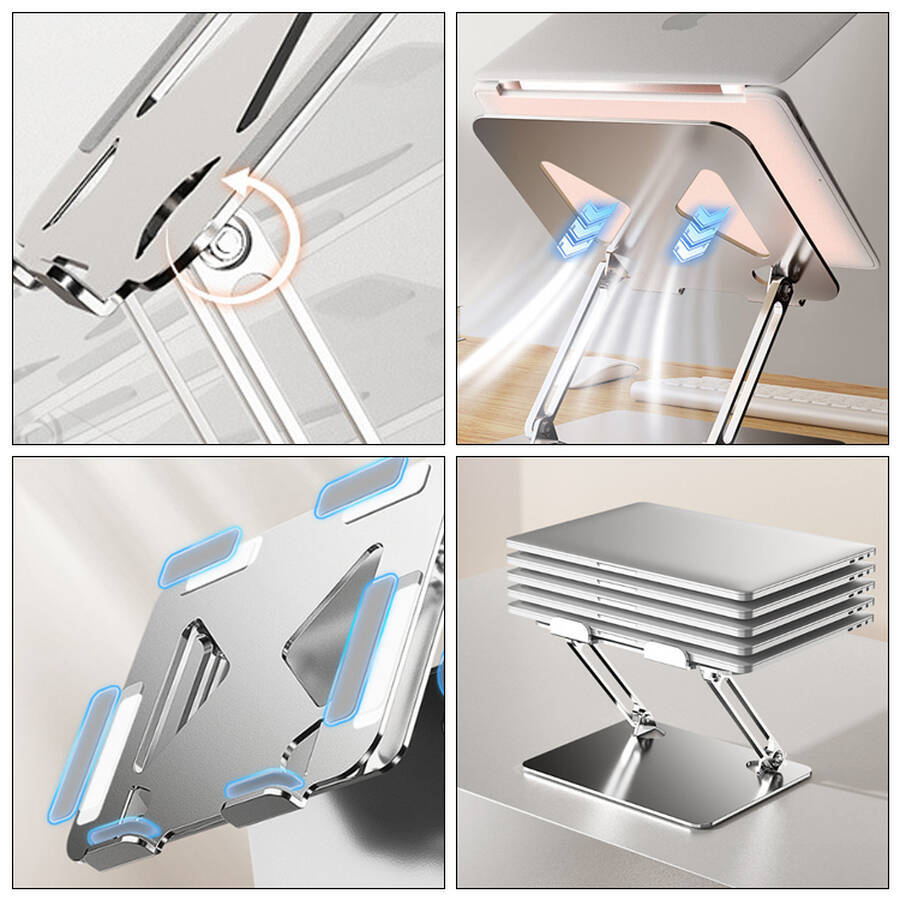
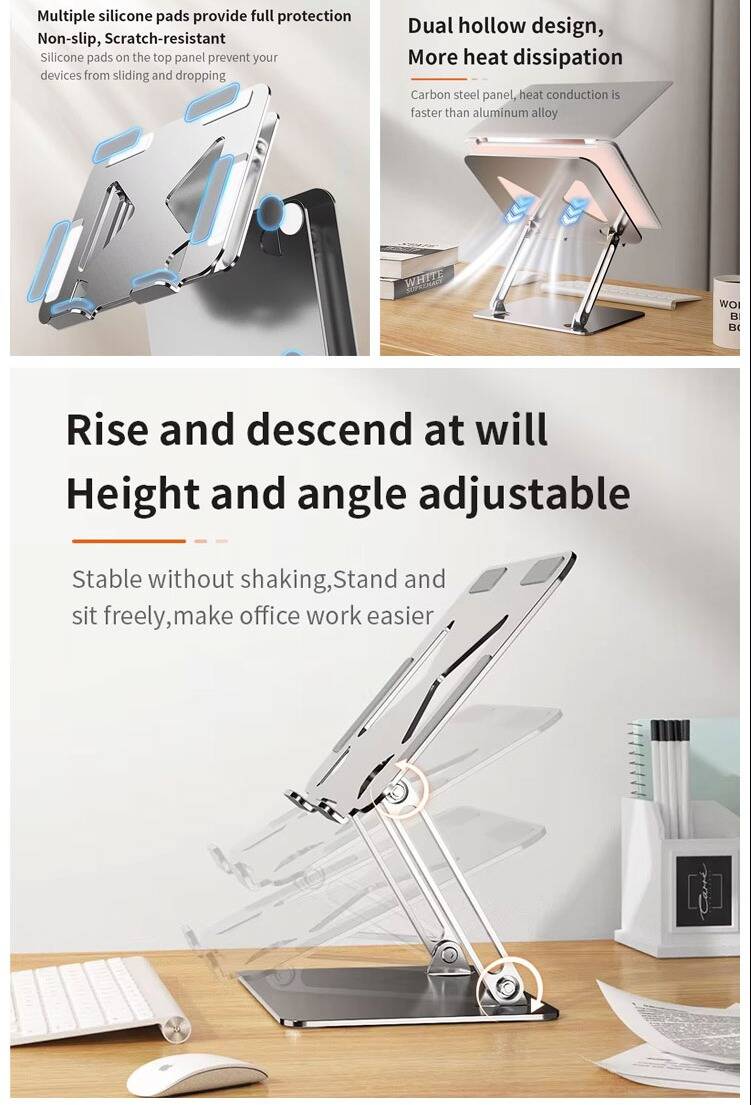
- Infinitely smooth height adjustment: sit without hunching, stand without bending
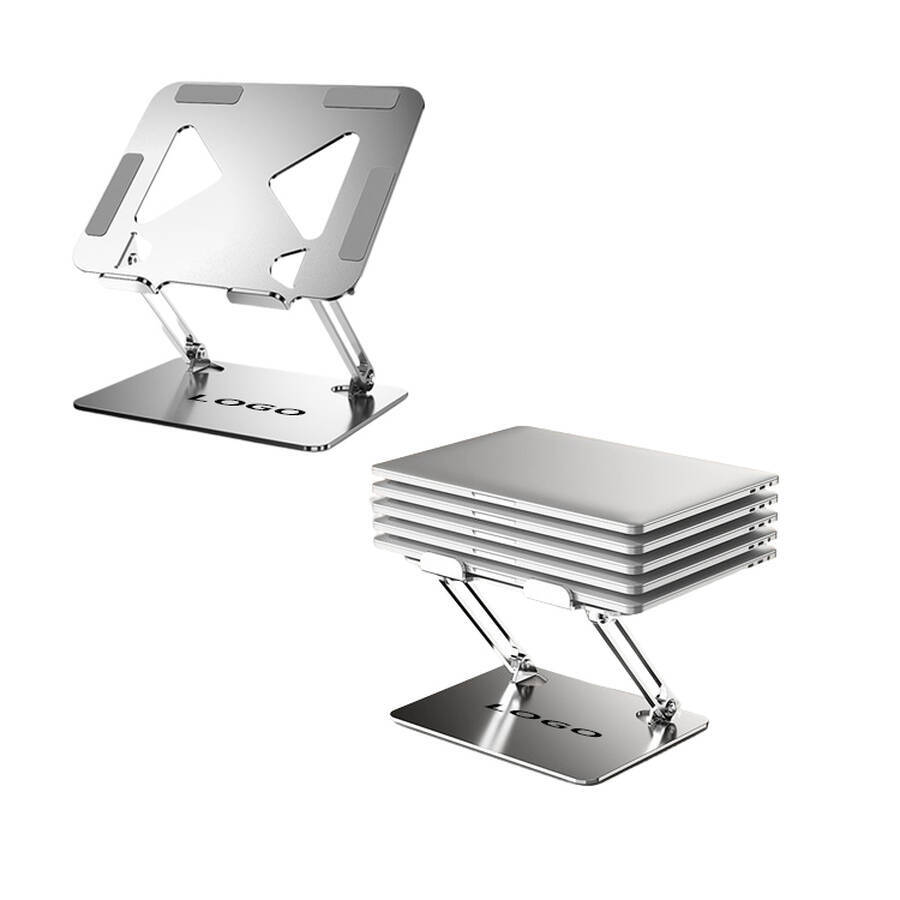
Infinite height adjustment with free-stop positioning; stable and wobble-free, allowing you to sit or stand comfortably for a more relaxed working experience - 10kg load capacity, supporting approximately 8 12-inch MacBooks
Reinforced support rods + high-wear-resistant damping shafts ensure stability and prevent sagging under a 10kg load - Openwork design on both sides ensures airflow is unobstructed, enabling efficient heat dissipation
Carbon steel panel offers superior thermal conductivity compared to aluminium alloy, doubling heat dissipation - Large panel for greater compatibility.
Suitable for various large-sized tablets, laptops and gaming laptops - Multi-layer silicone protection: anti-slip and scratch-resistant
Edge-to-edge silicone protection ensures a secure fit, even on smooth surfaces
Application
- Office – Your neck-supporting companion for 8 hours a day
- Working from home – Perfect for use at the dining table, on the sofa or in bed
- Students studying – An essential for eye protection in the library or dormitory
- Cafés – Comfortable even at a temporary workspace
- Business trips and travel – No compromises when working in a hotel
- External keyboard users – Turn your laptop into a desktop
- Gamers – The ultimate cooling accessory
- Live Streaming/Recording — Optimises camera angles
- Shared Use — Keeps meeting tables tidy
- Corporate Gifts — Practical and impressive

Packaging Information
The product packaging details are as follows.
Custom Services
By printing your brand on the laptop stands your users rely on every day, you turn every working moment into a brand exposure opportunity. Our laptop stands support bespoke customisation—including laser-engraved logos and custom brand colours—making them ideal for corporate gifts, tech companies and educational institutions alike.
FAQ
Q1: What is a laptop stand? How does it differ from a standard cooling pad?
A1: A laptop stand is a desktop support device. It is designed to raise the laptop screen, improve viewing angles, and aid heat dissipation. Compared to a standard cooling pad, the core function of a laptop stand is to adjust viewing height and protect the cervical spine. The primary function of a cooling pad is active cooling. Stands are generally lighter, foldable, and easy to carry. Cooling pads require USB power, are bulkier, and less portable. The two can also be used in combination: the stand raises the screen, whilst the cooling pad is placed on top of the stand to assist with cooling.
Q2: How high can a laptop stand raise the screen? Does it help the cervical spine?
A2: They typically raise the screen by 10‑20 centimetres. This brings the top of the screen to eye level. When looking down at a screen, the cervical spine bears a load of approximately 4‑5 kilograms. Using a stand allows you to look straight ahead — significantly reducing the strain on the neck. Long‑term use can effectively alleviate neck stiffness and shoulder pain. Some multi‑position adjustable models can accommodate different user heights and desk heights.
Q3: Which laptops are compatible with the laptop stand?
A3: It is compatible with mainstream laptops ranging from 11 to 17 inches. This includes brands such as MacBook, Lenovo, Huawei, Dell, HP, and Asus. Most stands can support weights of 5‑10 kg. This makes them suitable for ultrabooks, business laptops, and gaming laptops.
Q4: Does the laptop stand aid heat dissipation? Is the effect noticeable?
A4: Yes — by raising the bottom of the laptop, it allows for smoother airflow and aids heat dissipation. When placed flat on a desk, the bottom sits directly against the surface — causing heat to build up. When raised by the stand, the bottom is suspended. This allows cool air to enter from below and hot air to escape naturally. Tests show a temperature reduction of 3‑8°C. This is sufficient for everyday office use. For high‑heat‑generating devices such as gaming laptops, we recommend choosing an active cooling stand with a fan.
Q5: Are laptop stands stable? Do they wobble when typing?
A5: High‑quality stands are very stable. They will not wobble during normal typing or when using the touchpad. Stability features include a wide base, non‑slip silicone pads, and a triangular structural support. When purchasing, ensure that both the stand’s contact points with the desk and the laptop’s contact points with the stand are fitted with non‑slip pads. Some folding stands have a smaller support surface. Tapping the keyboard forcefully may cause slight wobbling. We recommend choosing models with a wider support surface and a more robust structure.
Q6: Can a laptop stand be used with a tablet?
A6: Yes — most stands are compatible with 11‑13‑inch tablets. As tablets are lighter, they sit more securely on the stand. However, stands designed specifically for tablets usually offer a wider range of angle adjustment. This makes them better suited for drawing and reading. If you already own a laptop stand, there is no need to purchase a separate tablet stand.
Q7: Will a laptop stand scratch the bottom of my laptop?
A7: No — it will not. The contact points with the laptop are fitted with non‑slip silicone pads. These pads are soft and will not cause scratches. Even if your laptop is not in a case, it will not leave any marks. When purchasing, ensure that the contact surfaces of the stand are covered with silicone pads.
Feel free to inquire anytime and lock in your favorite style!