A reliable plan for disposable camera photos starts before the event ends. The last frame is only part of the experience: cameras still need to be collected, sent to the right developing partner, and matched with scans that people can actually use.
For a small private event, one return point and a single gallery may be enough. A conference, wedding or brand activation can be different: cameras may be spread across tables, rooms or event dates, and the finished scans may need to reach several teams. Without a return plan that fits the event, the film may still be developed, but the photos can be much harder to sort and share.
The goal is not to add paperwork. It is to make sure the photos can be returned as a useful collection, without asking the team to reconstruct where every camera came from after the event.
Think about the final gallery when deciding where cameras will be placed. If all the photos belong together, a simple event-level return plan may be enough. If images need to stay grouped by table, venue or campaign, agree on batch labels and the lab handoff before the event. The key decisions are where cameras return, which groups need to stay separate, and who will receive the scans.
Plan the Return Before You Finalize the Camera Order
Before settling the quantity or packaging, decide who will collect the cameras and whether the resulting photos need to be separated by table, room, venue or event date. Those choices determine whether one return box will work or the event needs several clearly identified batches.
This matters most when cameras are spread across several tables, rooms, activation areas, venues or dates. A box of unmarked cameras can still reach the lab, but once the units are mixed, it may be difficult to tell which photos came from a particular area.
You do not need a complicated tracking system. For many events, one named owner, a clear return point and a simple batch code are enough. Add more detail only when it will help someone sort or share the photos later.
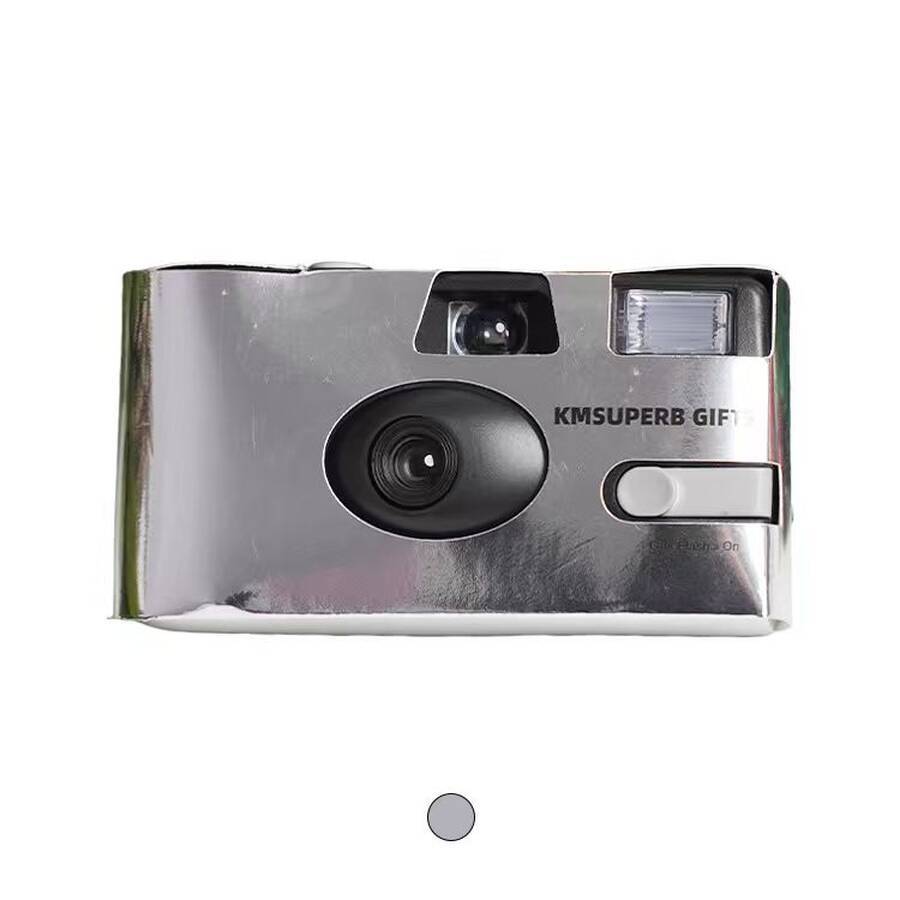
If you are still choosing a camera style, review the available custom disposable cameras alongside the event layout. Cover design, packaging and return instructions are easier to plan together than to retrofit after the order is placed.
Make It Easy to Return and Identify Each Camera
A return plan works best when guests can understand it quickly and staff know what to do with cameras once they come back. Depending on the event, a staffed desk, a marked return box or a reception exit point may be enough; larger programs may need separate points for different areas.
The important thing is to keep cameras from disappearing into general venue clearing. Staff should know where returns go and whether any groups need to stay separate for the final gallery. For a wedding-specific setup, see our guide to disposable camera wedding activity ideas, including table placement and collection planning.
Individual camera numbering may add little value if every unit belongs to one event and all scans will be delivered to the same recipient. A simple event-level batch code may be enough.
If photos from different tables or activity areas may need to be reviewed separately, use a short code such as DINNER-T08, BOOTH-B or LOUNGE-A. It keeps the context useful without turning a simple event into a complicated tracking exercise.
For programs running across several dates or cities, include the date or location in the batch reference before distribution. Similar-looking cameras can be difficult to separate once multiple teams send them to one central collection point.
Choose Labels That Still Make Sense After the Event
A code such as NYC-DINNER-04, DAY2-BOOTH-B-06 or WEDDING-T08-01 can still tell the project team where a camera came from weeks later. That context matters when one order covers several rooms, dates or activation locations.
Removable labels, return tags and batch bags can all work. The format matters less than consistency: keep the code with the camera or batch until the lab handoff is complete.
Check the Returns Before the Cameras Leave the Venue
A return box is only a collection point; it does not tell you whether every camera has come back. Compare the actual returns with the number distributed while the team still remembers which areas each batch went to.
A mismatch does not automatically mean a camera has been lost. Some units may be unused, still with event staff, intentionally kept by participants or waiting at another collection point. It is much easier to investigate the difference before the team leaves the venue.
Before dispatch, confirm with the receiving lab whether it accepts the complete camera or requires a different handoff format. Do not open or disassemble a camera unless the instructions for that specific model and the receiving lab explicitly require it.
Choose the Film Lab Before Event Day
Camera supply and film developing are often separate arrangements. Unless processing has been explicitly included in the purchase, the event team needs to confirm a lab and learn how it wants exposed cameras submitted. Sorting this out early avoids storing collected cameras while someone searches for a provider.
Ask the lab about accepted camera formats, batch labels, scan options, file delivery and whether negatives or other physical materials can be returned. Those answers help the event team decide how to pack and record each batch.
Confirm the intake process
- What physical format should be delivered?
- How should separate event batches be identified?
- What digital scan options are available?
- How are finished files delivered?
- Can physical materials be returned?
- What information must appear on the processing order?
Create a simple handoff record
- Event or project name.
- Physical camera or film count.
- Batch codes that must remain separate.
- Named contact for processing questions.
- Agreed scan delivery and physical-return instructions.
Build the Photo Deadline Around the Full Process
If the photos are needed for an event recap, internal newsletter, campaign review or guest gallery, work backward from the date they need to be shared. Ask the lab to confirm the expected turnaround for your actual quantity and scan choice rather than planning around a generic estimate.
Leave time to download, review, organize and approve the scans. A lab’s processing date is not necessarily the date the gallery is ready to share.
For general background on caring for unprocessed photographic materials, see Kodak Alaris guidance on storage and care of photographic materials. Product-specific handling and developing instructions should still come from the selected camera instructions and processing lab.
Turn Returned Scans Into a Gallery People Can Use
Getting the download link is only part of the job. If nobody has agreed on how the images will be shared, a complete set of scans can still be difficult to use. Decide whether the event needs one guest gallery, a private archive or separate sets for internal teams, sponsors or marketing.
A private reception may need only a master folder and guest gallery. A corporate event may need separate sets for internal communications, activity areas or business units. For a multi-city activation, keeping locations distinct can matter more than whether the cameras were processed in one batch.
Decide who owns the master files before sharing begins
Name one project owner for the master scan set. Then decide whether guests, employees, agencies, sponsors or other teams receive the same collection or selected subsets.
Also decide what happens when temporary gallery or download links expire. The photo scan return process should finish with a known archive location, not with an old email thread that nobody is sure still works.
Decide Who Can See the Photos Before You Share Them
Event photographs can include guests, employees, speakers, customers and members of the public. For that reason, scan delivery should not automatically mean unrestricted distribution.
The appropriate notice, consent and image-use process depends on the event, intended use and applicable organizational or legal requirements. A private wedding gallery, an internal company archive and a public brand campaign are not the same use case.
Who controls the master archive?
Assign one team or project owner rather than allowing several temporary stakeholders to hold different “master” copies.
Who receives participant access?
Decide whether attendees see the full collection, a selected folder or a controlled gallery.
Who approves external use?
Route photographs intended for marketing, social media, press or campaign use through the appropriate organizational review process.
Who keeps physical returns?
If the lab returns negatives or other physical materials, assign storage responsibility before they become unowned project leftovers.
Where Event Photo Projects Lose Time
The problems that take longest to untangle are usually small: a box with no label, a count based on the purchase order, or a gallery shared before anyone agrees who owns the original files. Each is easier to prevent when the team settles the return owner and handoff details before the event.
Plan the Camera Order Around the Event, Not Just the Guest Count
Camera quantity should follow the event layout, not just the guest count. Twenty cameras at one staffed reception are easy to collect differently from twenty split between guest tables, a sponsor lounge, activation booths and a welcome area. The number alone does not tell you which setup will work.
Before asking for a quote, share how the cameras will be used and returned. That helps determine whether one batch is enough or whether separate labels, cover artwork or packaging will make the event easier to manage. If quantity is still undecided, our guide to choosing disposable cameras for weddings covers film amount, flash and quantity planning.
Event format and date, approximate quantity, tables or activity zones, number of venues, and how cameras will be handed out.
Logo or event artwork, camera presentation, packaging, and any short return instructions or batch codes.
Delivery destination, required arrival date, and any details the supplier needs to confirm before quoting.
A more detailed plan helps when cameras are spread across tables, rooms, cities or activation zones—or when procurement, marketing and event operations all have a part in the project.
For a small private event with only a few cameras and one person managing returns, a simple batch label may be enough. Match the process to the event rather than adding tracking for its own sake.
Keep camera supply and film processing as separate parts of the project brief. Unless processing has been expressly included in the quote, the event team should confirm its chosen lab directly.
If the camera format itself has not yet been decided, review Film Camera vs Disposable Camera for Events before finalizing the program. That decision affects guest use, collection responsibility and what needs to be returned after the event.
Build a Custom Camera Order Around Your Event
For weddings, conferences and brand activations, a custom disposable camera can do more than capture candid moments—it can carry the event identity through its cover and packaging. The right setup depends on where guests will use the cameras, how they will be distributed, and when the order needs to arrive.
Tell us your event type, estimated quantity, artwork or logo, packaging preference, destination and target arrival date. KMSUPERB can review suitable camera and customization options and prepare a project quote around your requirements. Film developing and scan delivery should be confirmed with your chosen lab unless they are expressly included in the project.
Common Questions About Collecting and Developing Event Cameras
These are the details most worth settling before the cameras leave the venue.
How should disposable cameras be collected after an event?
Give guests a clearly marked return point and make sure staff know who is responsible for collecting the cameras. Count the actual returns and keep batches separate if the photos need to be grouped by table, venue or activity.
Where are disposable cameras developed?
Choose a film lab that confirms it can process the specific camera or film format. Before sending the batch, ask how cameras should be packed, how batch references should be shown, what scan options are available and whether physical materials can be returned.
How should cameras be labeled before lab handoff?
Use a short code based on information you will need later—event date, venue, table or activation zone. If individual cameras were not labeled beforehand, keep them in clearly marked batches and tell the lab how those groups should be identified.
How can photo scans be organized and returned?
Keep the original scan delivery as a master copy. From there, create the gallery or folders recipients actually need; use the event date, venue, table or batch only when that information was recorded during collection.
Should the event team open collected disposable cameras before developing?
Do not open a camera just to inspect the film. Confirm the required handoff format with the lab and follow the instructions for the specific model; different products and labs may have different procedures.
Make the Camera Plan Fit the Event
The right setup should feel easy for guests and manageable for the team behind the scenes. A single reception may need only a clear return point, while a multi-zone activation may benefit from separate batches and a short return note.
For a custom order, bring the event type, estimated quantity, artwork or logo, packaging preference, destination and required arrival date into one brief. Include return wording or batch labels only where they solve a real on-site need.